> For the complete documentation index, see [llms.txt](https://docs.aqua-cloud.io/documentation/llms.txt). Markdown versions of documentation pages are available by appending `.md` to page URLs; this page is available as [Markdown](https://docs.aqua-cloud.io/documentation/aqua-intelligence/aqua-intelligence-create-test-cases-out-of-requirements-or-based-on-context-in-seconds.md).
# aqua Intelligence - create test cases out of requirements or based on context in seconds
Instantly generate test cases from requirements or context with aqua Intelligence. Preview, refine, and ensure coverage in aqua - save hours and streamline your QA workflow with smart automation.
aqua Intelligence is an AI-powered tool that can save you hours of work by helping you create test cases within a few seconds based on a requiremet or context, or both. It is capable of creating test cases even based on minimal information.
aqua Intelligence is especially useful when:
* A QA specialist wants to quickly cover a requirement that does not have any tests.
* The requirement is quite complex and it takes a lot of time to create high-quality test cases.
* A QA specialist wants to verify that all aspects of the requirement are covered by test cases
You can start using aqua Intelligence from multiple places in aqua.
**Test case based on a requirement**
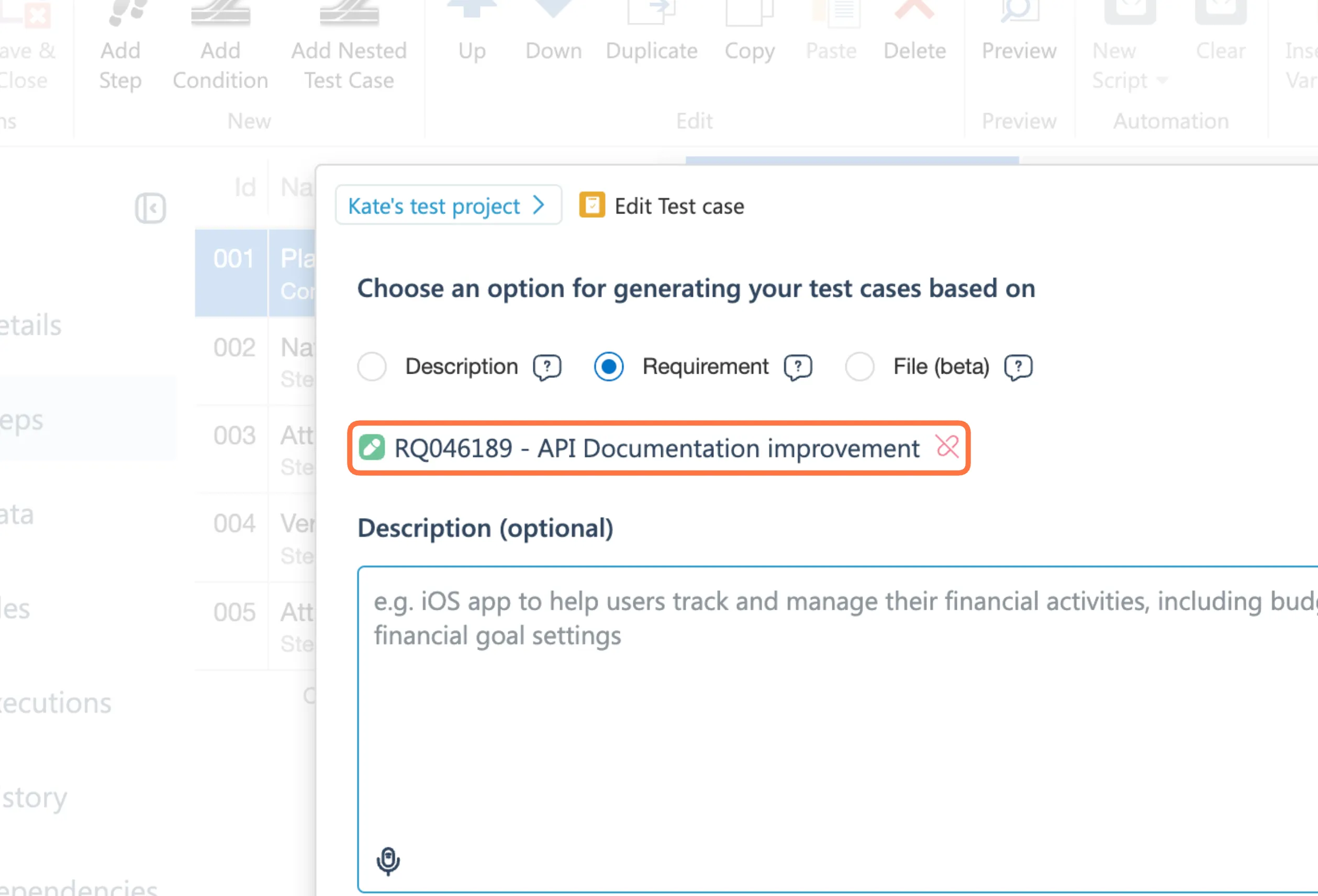
Go to aqua and open an existing requirement or create a new one. Once you finish editing it, save your item and click on the aqua Intelligence 'Test' button.
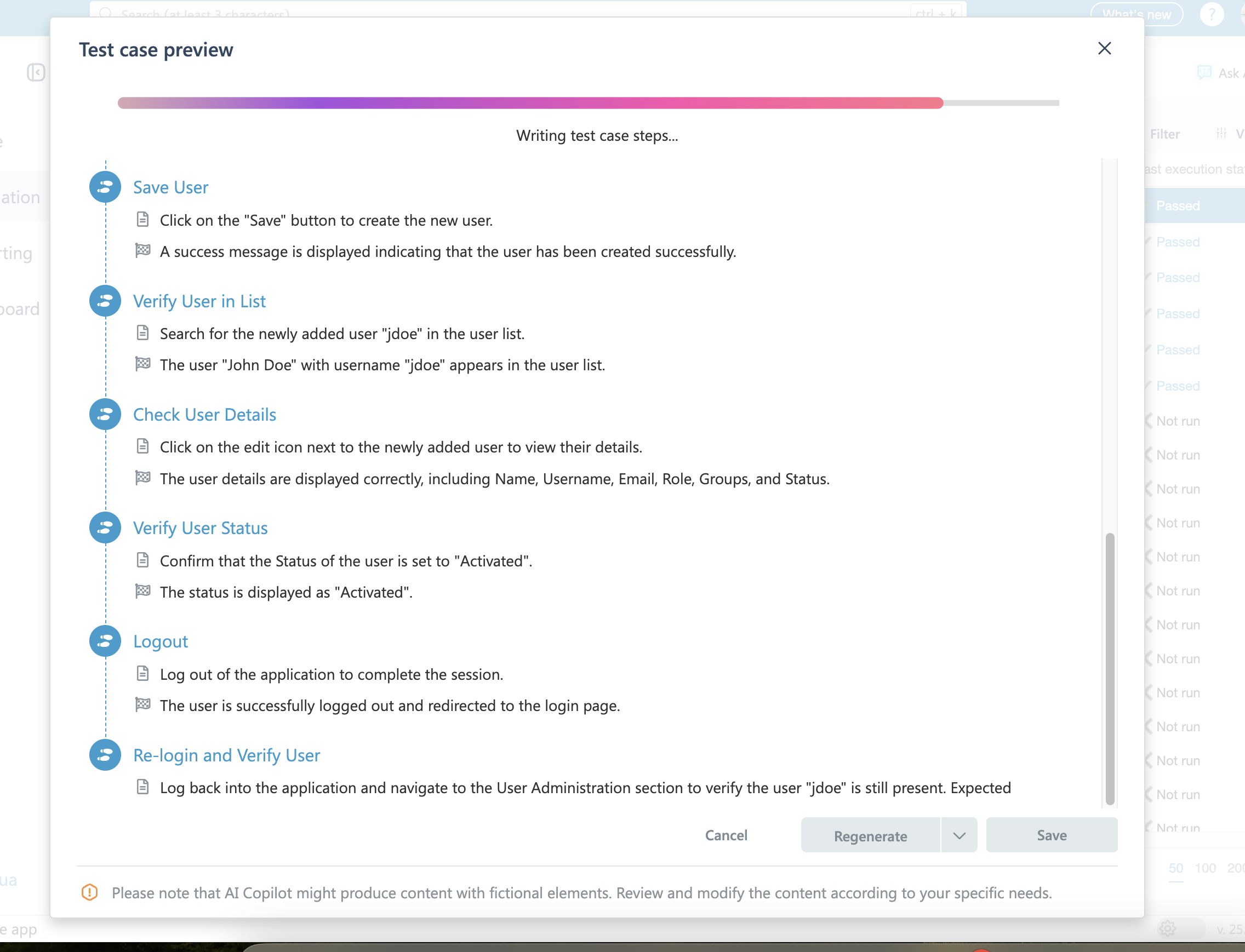
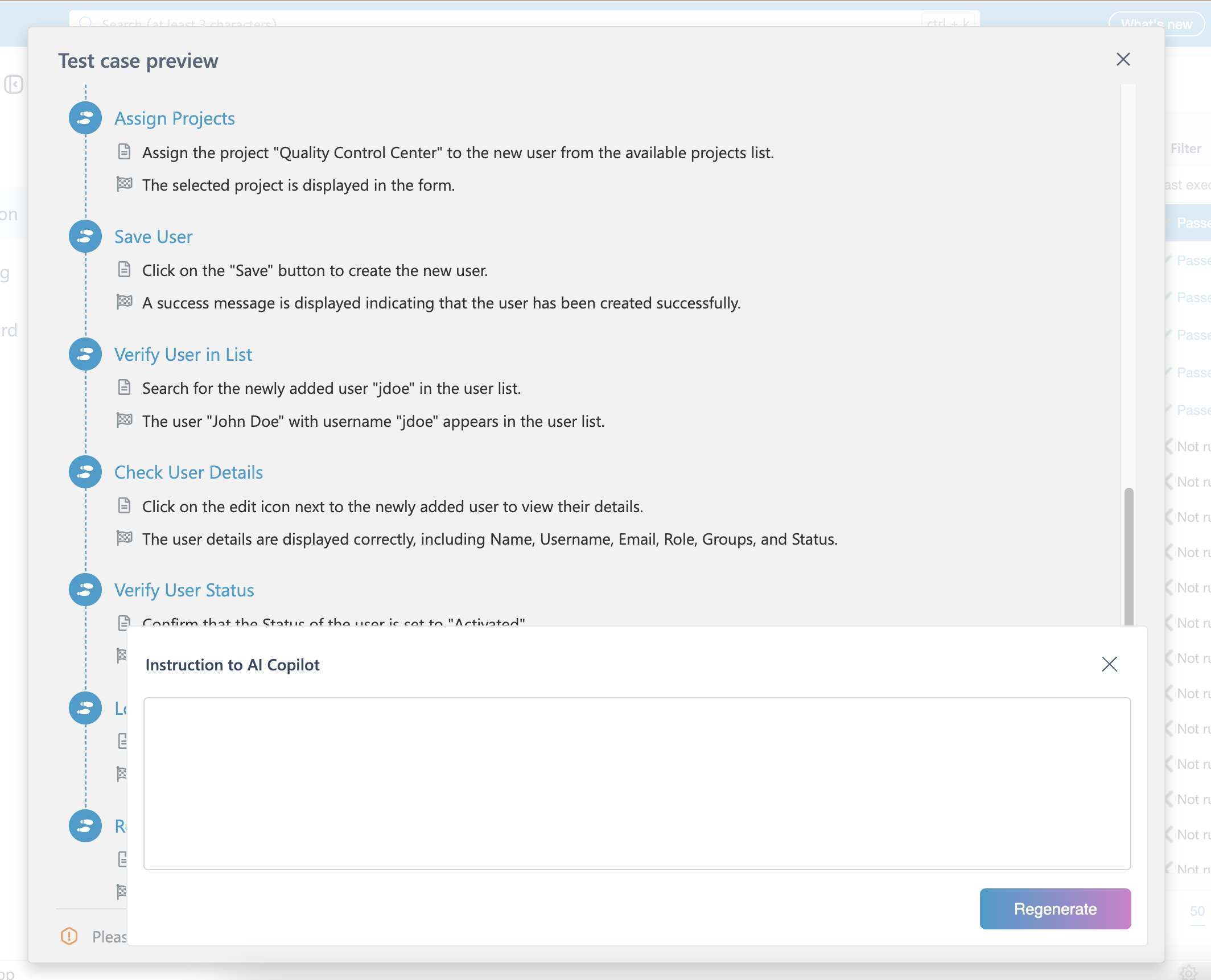
Once the test case is generated, you can preview and check if the results are good before applying it. You can regenerate the test case as many times as you wish until the result meets your expectations.
You can also provide some context to aqua Intelligence under the instructions, so it can better understand your project or specifics of the requirement and generate you a test case taking into account added information. This includes, for instance, a glossary of words that are unique for your project or some important information about the product or device that is under the test.
Here’s another neat trick. Once aqua Intelligence generates a test based on requirement, it is immediately added as a dependency to the requirement. It will also be marked as covered.
**Generating a test case from the test case page**
You can generate a test case from the test case page itself too. The minimum required to create a test case is the title, but the more information you contribute, the more comprehensive test case will be generated.
Once you have at least a title, click on the ‘Test’ button at the ribbon of a details tab or from a test step designer. aqua Intelligence will immediately start generating your test case.
You can use this functionality to pre-create a template which you can modify later or expand once you have a detailed requirement of some nested test cases added.
For the best results, we recommend creating a test case based on a requirement and provide some context.
{% hint style="info" %}
**Important Reminder:**
Please be aware that aqua Intelligence can occasionally make mistakes or provide inaccurate answers. We strongly recommend verifying any crucial information for accuracy.
{% endhint %}
---
# Agent Instructions
This documentation is published with GitBook. GitBook is the documentation platform designed so that both humans and AI agents can read, navigate, and reason over technical content effectively. Learn more at gitbook.com.
## Querying This Documentation
If you need additional information that is not directly available in this page, you can query the documentation by asking a question.
Perform an HTTP GET request on the following URL with the `ask` and `goal` query parameters:
```
GET https://docs.aqua-cloud.io/documentation/aqua-intelligence/aqua-intelligence-create-test-cases-out-of-requirements-or-based-on-context-in-seconds.md?ask=&goal=
```
`ask` is the immediate question: it should be specific, self-contained, and written in natural language.
`goal` is what the user is ultimately trying to achieve, the reason they need the answer. Sharing it helps GitBook give you a better, more relevant answer. A goal is most helpful when it describes the outcome the user wants rather than restating the question. For example, with `ask=how do I create an API token`, a goal like `automate deployments from our CI pipeline` lets GitBook tailor the answer to that use case.
The response will contain a direct answer to the question and relevant excerpts and sources from the documentation.
Use this mechanism when the answer is not explicitly present in the current page, you need clarification or additional context, or you want to retrieve related documentation sections.