> For the complete documentation index, see [llms.txt](https://docs.aqua-cloud.io/documentation/llms.txt). Markdown versions of documentation pages are available by appending `.md` to page URLs; this page is available as [Markdown](https://docs.aqua-cloud.io/documentation/product-updates-for-on-premise-customers/product-updates/2023/23.22.0-on-premise.md).
# 23.22.0 - On Premise
Get details on the 23.22.0 On Premise product update, including release highlights and changes for on-premise deployments. Stay current with the latest enhancements.
Guidelines
Version 23.22\
Date: 23.03.2023
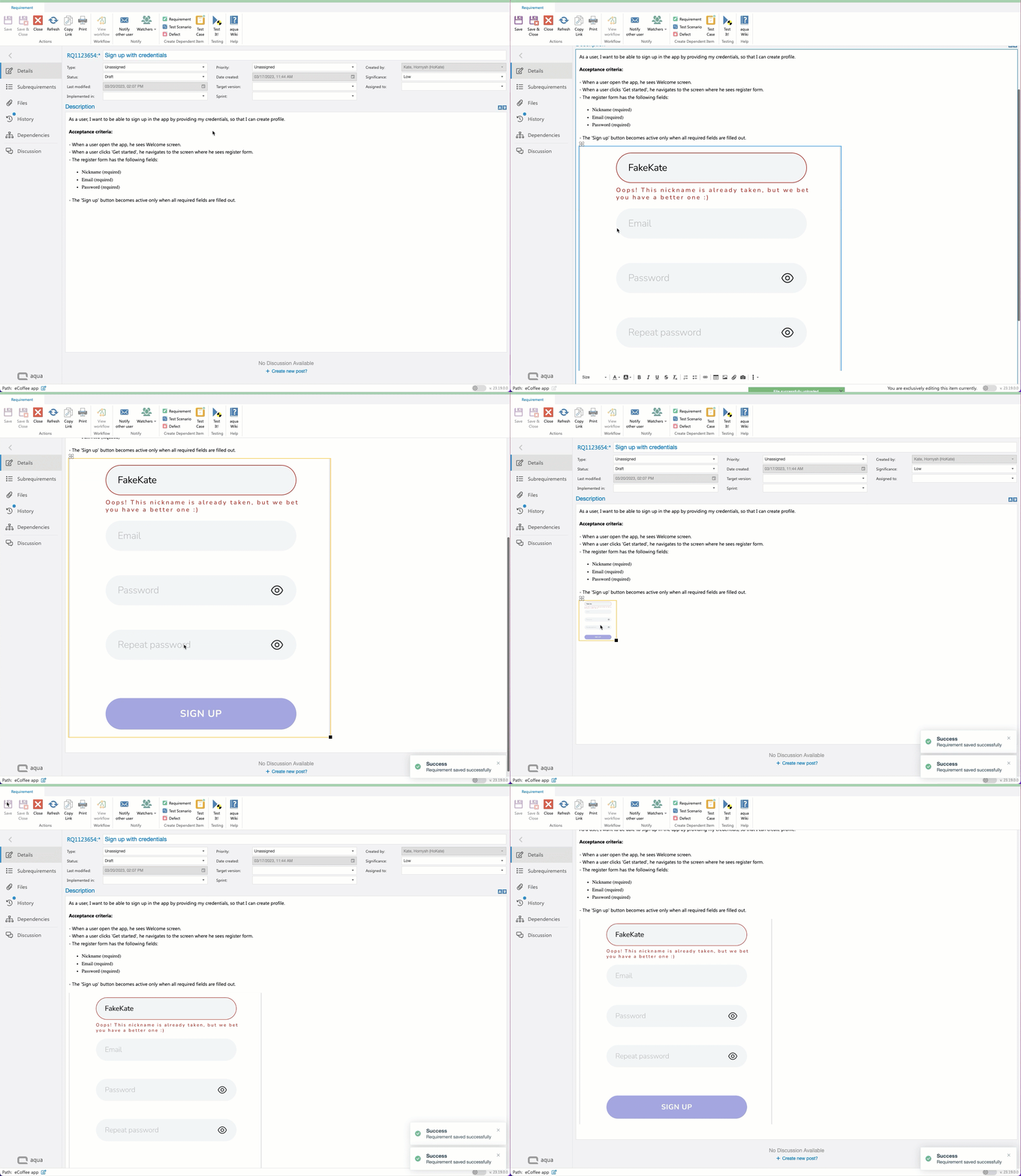
### Improvement: Preserving the high resolution and clarity of images when saving a ticket
Useful when:
* You add a lot of images to the tickets
* You change the size of the images quite often
\
Guide:
The upcoming version of aqua will automatically keep your screenshots crisp, so you don't need to take any additional steps on your end.
### Improvement: Formatting retention when saving a ticket
Useful when:
* You apply formatting to the content you create and want to ensure it looks the way you intended
Guide:
The upcoming version of aqua will automatically include this enhancement, so you don't need to take any additional steps on your end.
### Feature: Copy and import list of values to single-select and multi-select fields
Useful when:
* You have a list of values pre-created outside of aqua and you don’t want to add them manually one by one
* You want to copy and paste a long list of values from one field to another field within or between projects.
Guide:
Step 1: Navigate to the project template and create or select an existing multi-select or single-select field.
Step 2: Copy a list of the values from a document, or copy the list from another multi-select or single-select field in aqua.
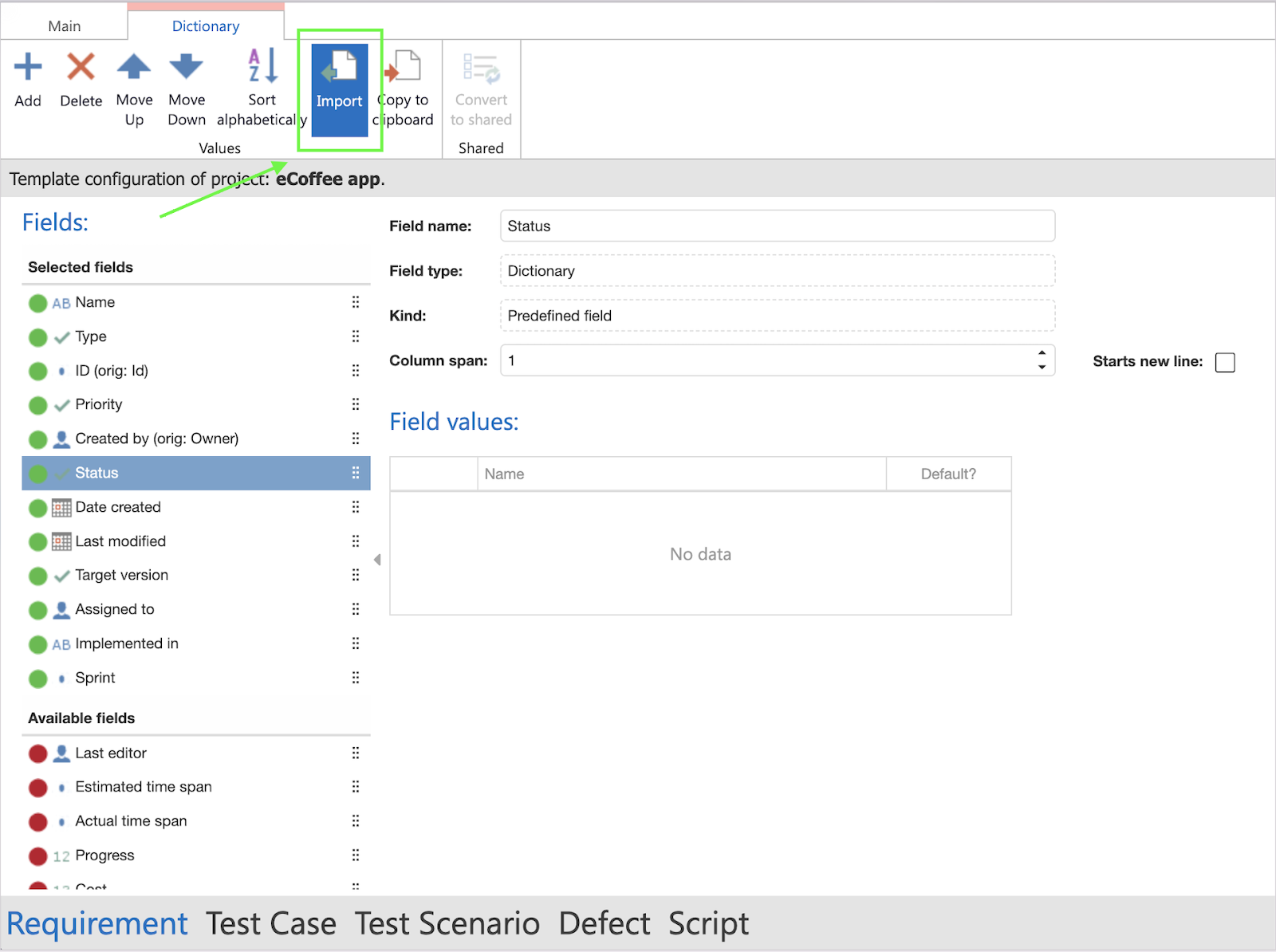
Step 3: To import values, please navigate to the issue type and select the desired multi-select or single-select field, and click the ‘Import’ button on the ribbon.
Step 4: Paste the values into the pop-up and click the ‘Import’ button
The values will be immediately added to your field.
Step 5: Navigate to the ‘Main’ tab and click the ‘Save’ button to apply the changes to the project template.
### Feature: Sort values alphabetically in single-select and multi-select fields
Useful when:
* You have an unarranged list that you would like to sort alphabetically before going through it.
* You keep adding values from time to time and just want to keep the list tidy.
* You need a list of values sorted alphabetically in your projects.
Guide:
Step 1: Navigate to the project template and create or select an existing multi-select or single-select field.
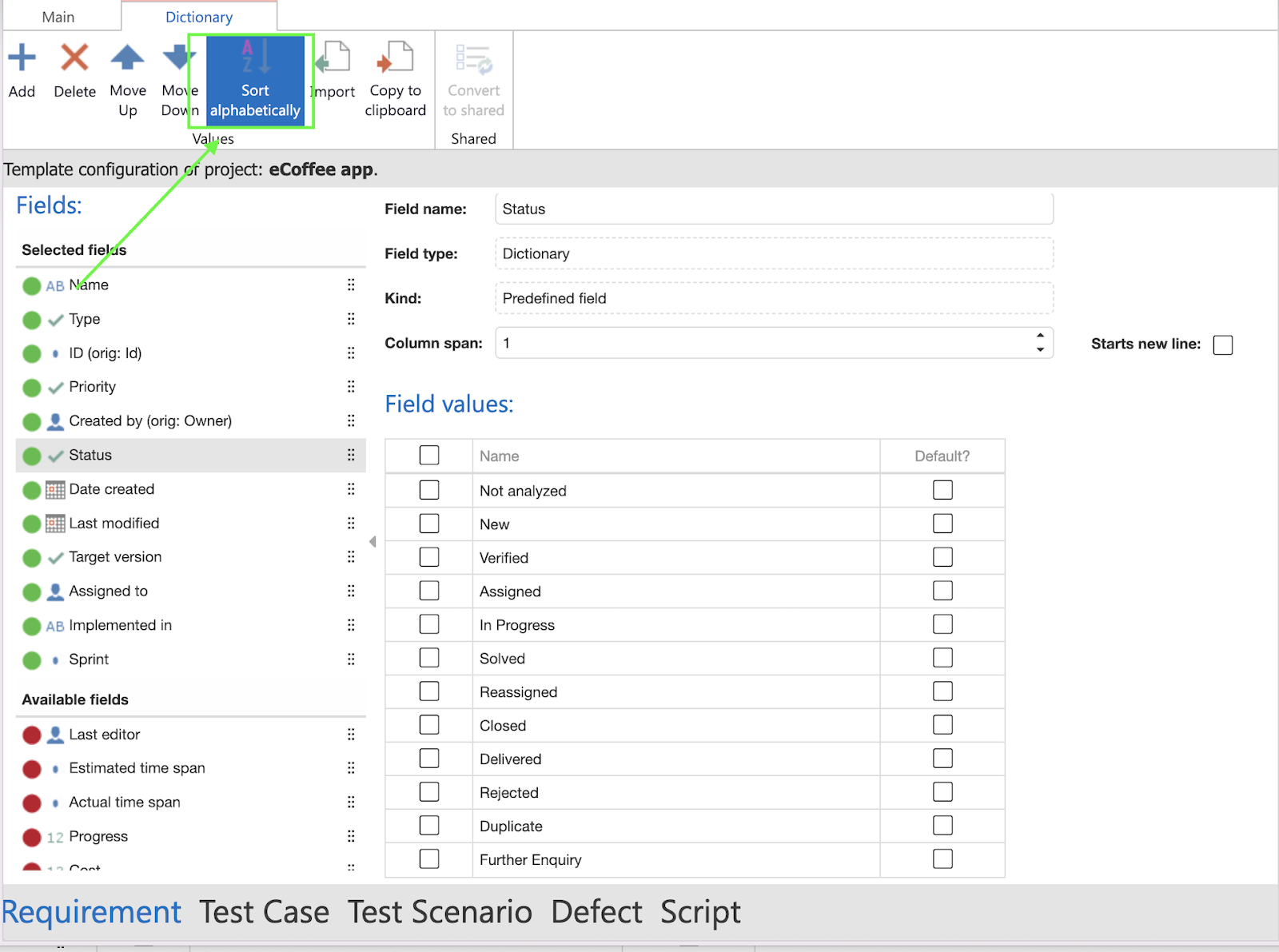
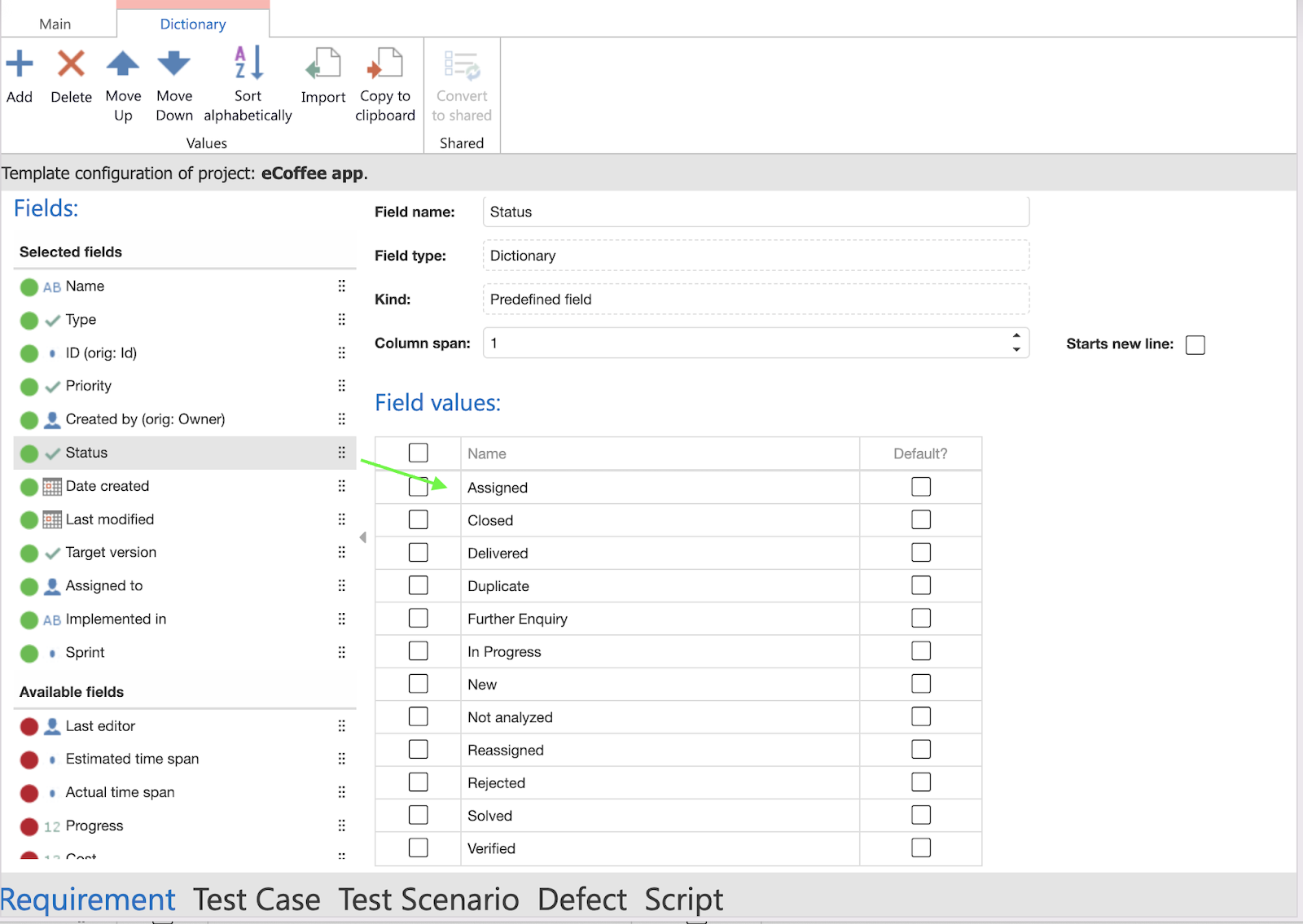
Step 2: Click the ‘Sort alphabetically’ button on the ribbon.
The list will be sorted in no time.
### Improvement: The word 'Copy' no longer appears in the title of the pasted item
Useful when:
* You copy items between projects a lot and hate removing ‘Copy’ manually
\
Guide:
There are no special steps that you need to do. Just copy the tickets from one project to another and focus on what matters most, not title editing.
{% hint style="success" %}
Here is a small tip from aqua team:\
When you copy test cases or requirements to an empty project, you can find the copied items in the project’s context menu
{% endhint %}
In case you don’t have these feature guidelines at hand in the future, we got you covered. You can find all the information on the new features in our aqua wiki.
We continue to make aqua beneficial and easy to use. The upcoming releases will bring both new powerful features and user experience improvements, and we can’t wait to share them with you.
:raised\_back\_of\_hand:In the meanwhile, let us know if you have any questions or feedback at support\@aqua-cloud.
---
# Agent Instructions
This documentation is published with GitBook. GitBook is the documentation platform designed so that both humans and AI agents can read, navigate, and reason over technical content effectively. Learn more at gitbook.com.
## Querying This Documentation
If you need additional information that is not directly available in this page, you can query the documentation by asking a question.
Perform an HTTP GET request on the following URL with the `ask` and `goal` query parameters:
```
GET https://docs.aqua-cloud.io/documentation/product-updates-for-on-premise-customers/product-updates/2023/23.22.0-on-premise.md?ask=&goal=
```
`ask` is the immediate question: it should be specific, self-contained, and written in natural language.
`goal` is what the user is ultimately trying to achieve, the reason they need the answer. Sharing it helps GitBook give you a better, more relevant answer. A goal is most helpful when it describes the outcome the user wants rather than restating the question. For example, with `ask=how do I create an API token`, a goal like `automate deployments from our CI pipeline` lets GitBook tailor the answer to that use case.
The response will contain a direct answer to the question and relevant excerpts and sources from the documentation.
Use this mechanism when the answer is not explicitly present in the current page, you need clarification or additional context, or you want to retrieve related documentation sections.