> For the complete documentation index, see [llms.txt](https://docs.aqua-cloud.io/documentation/llms.txt). Markdown versions of documentation pages are available by appending `.md` to page URLs; this page is available as [Markdown](https://docs.aqua-cloud.io/documentation/de-documentation/automatisierung/automatisierung-ci-cd-werkzeuge-und-aqua-rest-api/gitlab-ci-cd-java-playwright.md).
# Gitlab CI/CD: JAVA/Playwright
## Grundlegende GitLab CI/CD & aqua Arbeitsablauf
Diese Anleitung zeigt, wie automatisiertes Testen in Ihre GitLab-CI/CD-Pipeline integriert wird, speziell unter Verwendung von Maven-Projekten mit *JAVA/Playwright.* Die Schritte können jedoch so angepasst werden, dass sie sich für jedes Testautomatisierungswerkzeug oder -framework eignen, um Ergebnisse an aqua zu übermitteln.
**Voraussetzungen**
* Ein GitLab-Projekt mit aktiviertem CI/CD
* ein aqua-Konto zum Einreichen von Testergebnissen
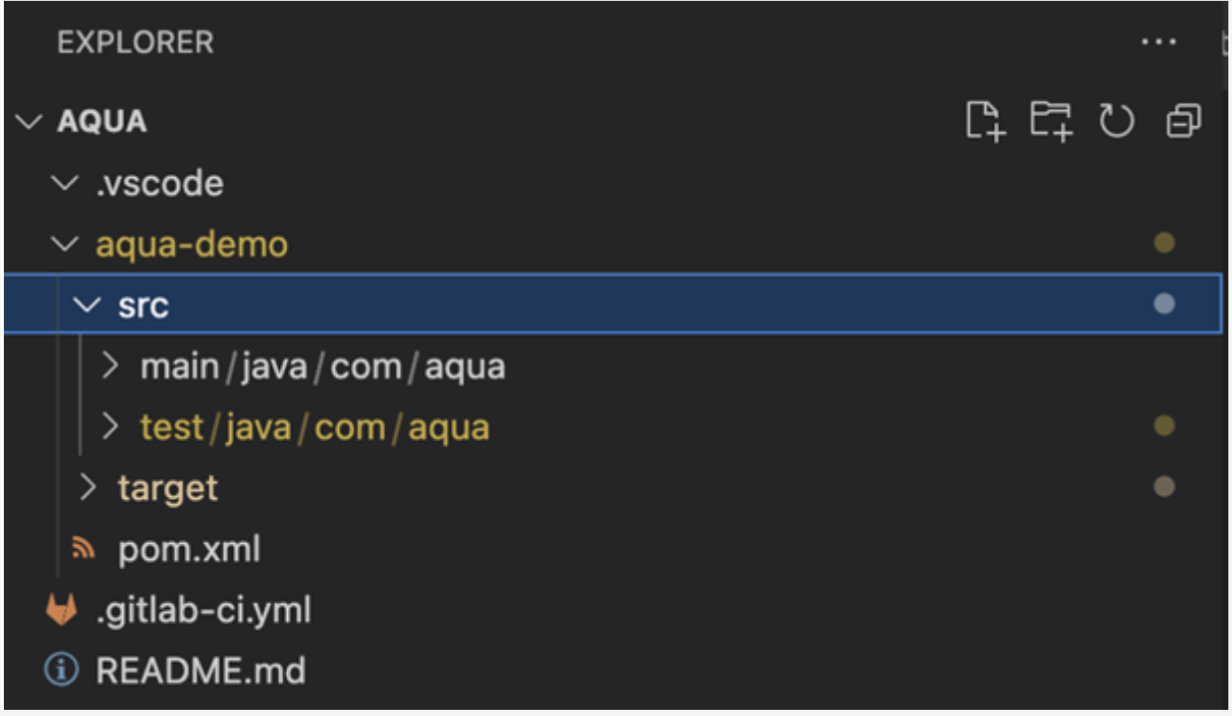
* Eine Anwendung oder ein Projekt, das mit einem Maven-Projekt konfiguriert ist (z. B. unter Verwendung von Visual Studio Code).
Erstellen Sie zunächst ein sauberes Maven-Projekt oder verwenden Sie ein bestehendes.
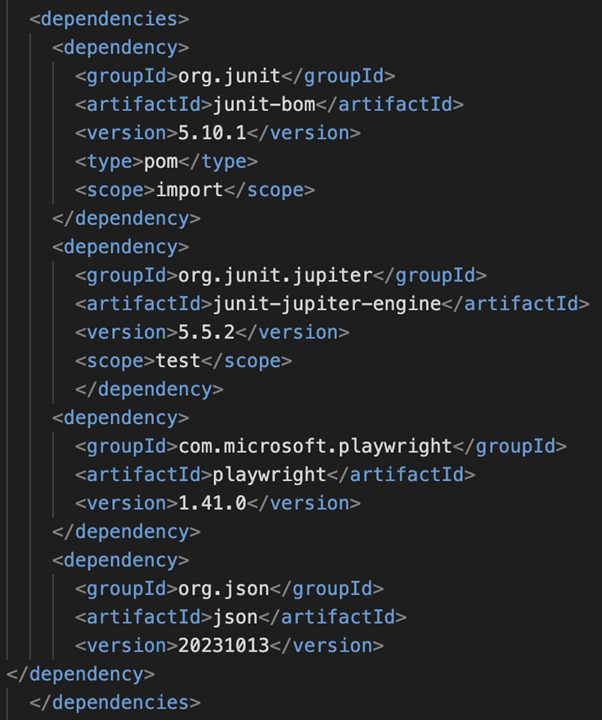
Stellen Sie sicher, dass die folgenden Abhängigkeiten zur **pom.xml** Datei hinzugefügt werden. Wir benötigen die *Playwright*, *JUnit* und *JSON-Bibliotheken*.
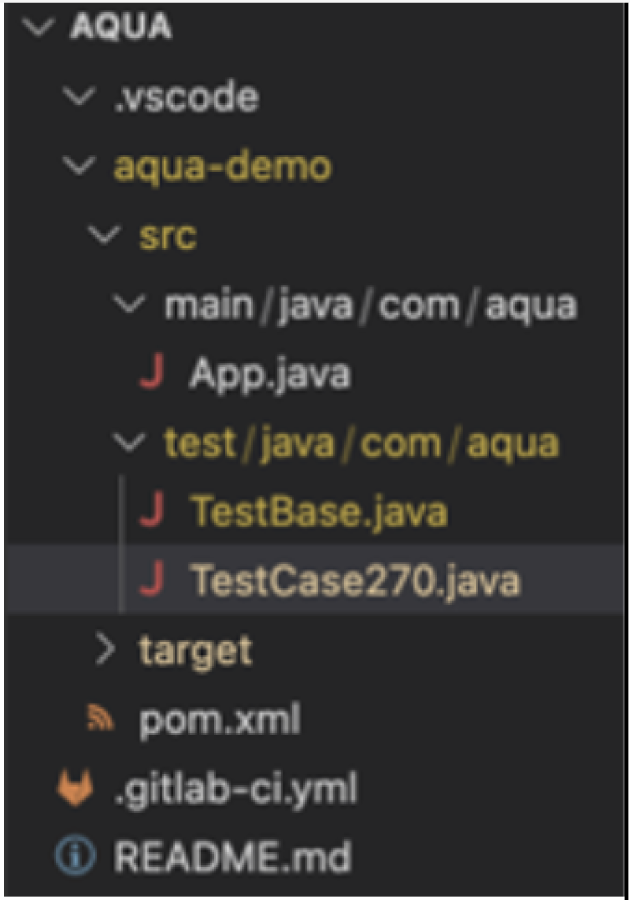
Erstellen Sie eine TestBase-Klasse, um alle allgemeinen Methoden und Implementierungen der gemeinsamen Logik und Hooks zu speichern: \_BeforeAll, BeforeEach, AfterAll, AfterEach, etc
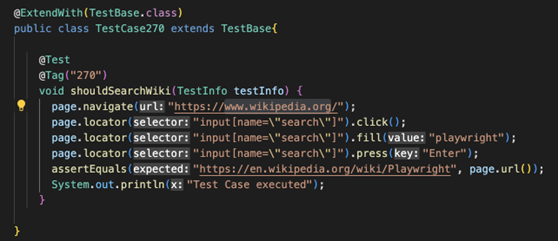
Erstelle eine TestCase-Klasse, die die TestBase-Klasse erweitert und die tatsächliche Logik eines bestimmten Tests implementiert. Wir nehmen an, dass diese Klasse eine Aqua-Testfallinstanz hat, sodass wir ihre Ausführungsinformationen in der aqua-Webanwendung aktualisieren werden. Der TestCase hat einen Schritt (Schritt 1) in aqua.
Die TestFall-Klasse implementiert einfache Aktionen: öffnen [www.wikipedia.org](https://www.wikipedia.org/) mit Playwright-Aktionen, klicken Sie dort ein paar Mal und überprüfen Sie die aktuelle Web-URL
Verwenden Sie den Hook @AfterEach in der TestBase-Klasse, um eine Verbindung zu Aqua herzustellen und ein Bearer-Token von einer REST-GET-Anfrage abzurufen, die von Playwright gesendet wird.
Der oben genannte Token wird für eine POST-Anfrage benötigt, um eine aqua-Testfalldurchführung zu erstellen. Wir verwenden den folgenden Endpunkt und das JSON.
{% embed url="" %}
Die Beispielimplementierung in der TestBase-Klasse für die obige Anforderung sieht wie folgt aus:
```
static void createTCExecution(TestInfo tcInfo, String status){
Map headers = new HashMap<>();
headers.put("authorization", "Bearer " + bearerToken);
headers.put("content-type", "application/json");
headers.put("accept", "application/json");
headers.put("Connection", "keep-alive");
APIRequestContext tcExecutionRequest = playwright.request().newContext(new APIRequest.NewContextOptions()
.setExtraHTTPHeaders(headers));
JSONArray finalArr = new JSONArray();
JSONObject json = new JSONObject();
int tcId = Integer.parseInt(tcInfo.getTags().iterator().next());
json.put("Guid", JSONObject.NULL);
json.put("TestCaseId", tcId);
json.put("TestCaseName", JSONObject.NULL);
json.put("Finalize", false);
json.put("ValueSetName", JSONObject.NULL);
json.put("TestScenarioInfo", JSONObject.NULL);
JSONArray stepsArr = new JSONArray();
JSONObject jsonSteps = new JSONObject();
jsonSteps.put("Index", 1);
jsonSteps.put("Name", "Step 1");
jsonSteps.put("StepType", "Step");
jsonSteps.put("Status", status);
jsonSteps.put("Description", JSONObject.NULL);
jsonSteps.put("ExpectedResults", JSONObject.NULL);
jsonSteps.put("ActualResults", JSONObject.NULL);
jsonSteps.put("ActualResultsLastUpdatedBy", JSONObject.NULL);
jsonSteps.put("ActualResultsLastUpdated","0001-01-01T00:00:00");
stepsArr.put(jsonSteps);
json.put("Steps", stepsArr);
json.put("TestedVersion", JSONObject.NULL);
json.put("Status", JSONObject.NULL);
JSONObject execDuration = new JSONObject();
execDuration.put("FieldValueType","TimeSpan");
execDuration.put("Text","20 second");
execDuration.put("Value",20);
execDuration.put("Unit","Second");
json.put("ExecutionDuration", execDuration);
json.put("AttachedLabels", new JSONArray());
json.put("CustomFields", new JSONArray());
json.put("Attachments", JSONObject.NULL);
json.put("TesterId", JSONObject.NULL);
json.put("ExecutionDate", JSONObject.NULL);
json.put("AttachedFiles", new JSONArray());
finalArr.put(json);
APIResponse tcExcutionResponse = tcExecutionRequest.post(appUrl + "api/TestExecution", RequestOptions.create().setData(finalArr.toString()));
assertTrue(tcExcutionResponse.ok());
}
```
Im obigen Antrag übergeben wir die Variable „logResult“. Sie stellt das tatsächliche JUnit-Testergebnis dar („Pass“, „Failed“, „NotRun“ usw.). Um diesen Status aus dem JUnit-Lauf zu erhalten, implementieren wir das [Test Watcher](https://junit.org/junit5/docs/5.5.1/api/org/junit/jupiter/api/extension/TestWatcher.html) Interface in der TestBase.
In dieser Klasse sollten wir Schnittstellenmethoden wie folgt implementieren:
```
@Override
public void testSuccessful(ExtensionContext context) {
System.out.println("Call Success extension");
logResult = "Pass";
}
@Override
public void testAborted(ExtensionContext context, Throwable cause) {
System.out.println("Call Abort extension");
logResult = "NotRun";
}
@Override
public void testFailed(ExtensionContext context, Throwable cause) {
System.out.println("Call Fail extension");
logResult = "Failed";
}
```
Wir gehen davon aus, dass der Name der Testklasse auf der tatsächlichen aqua-Testfall-ID basiert: z. B. im obigen Fall haben wir den aqua-Testfall mit der Id=270 aktualisiert.
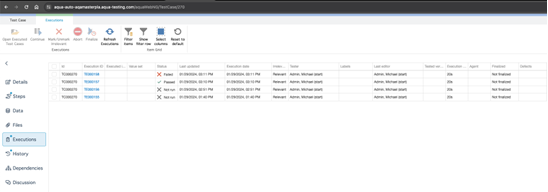
Nach erfolgreicher JUnit-Testausführung sollten wir die entsprechende einzelne Testfallausführung in aqua sehen. Diese ID-Variable kann aus der Testklasse über TestInfo von org.junit.jupiter.api.TestInfo übergeben werden.
Um das oben genannte Maven-Projekt mit GitLab CI/CD ausführen zu können, müssen wir die entsprechende Workflow-Datei .gitlab-ci.yml erstellen. Ein einfaches Beispiel für ein .gitlab-ci.yml-Skript ist unten gezeigt:
```
image: maven:latest
stages:
- test
maven-build-job:
stage: test
script:
- pwd
- sleep 10
- cd aqua-demo/
- mvn compile
- mvn exec:java -e -D exec.mainClass=com.microsoft.playwright.CLI -D exec.args="install --with-deps"
- mvn clean test
```
Sobald ein GitLab-Test-Runner konfiguriert und mit Ihren GitLab-Projekten verbunden ist, können wir die GitLab-Pipeline mit dem obigen Workflow ausführen:
**Full TestBase class listing:**
```
package com.aqua;
import com.google.gson.Gson;
import com.google.gson.JsonObject;
import com.microsoft.playwright.APIRequest;
import com.microsoft.playwright.APIRequestContext;
import com.microsoft.playwright.APIResponse;
import com.microsoft.playwright.Browser;
import com.microsoft.playwright.BrowserContext;
import com.microsoft.playwright.BrowserType;
import com.microsoft.playwright.Page;
import com.microsoft.playwright.Playwright;
import com.microsoft.playwright.options.FormData;
import com.microsoft.playwright.options.RequestOptions;
import org.junit.jupiter.api.AfterAll;
import org.junit.jupiter.api.AfterEach;
import org.junit.jupiter.api.BeforeAll;
import org.junit.jupiter.api.BeforeEach;
import org.junit.jupiter.api.TestInfo;
import org.junit.jupiter.api.extension.ExtensionContext;
import org.junit.jupiter.api.extension.TestWatcher;
import org.json.*;
import static org.junit.jupiter.api.Assertions.assertTrue;
import java.util.HashMap;
import java.util.Map;
public class TestBase implements TestWatcher
{
private static Playwright playwright;
private static Browser browser;
private static String appUrl = "https://aqua-auto-aqamasterpla.aqua-testing.com/aquawebng/";
private static String bearerToken;
private static APIRequestContext request;
private static BrowserContext context;
private static TestInfo testInfo;
private static String logResult;
Page page;
static void getBearerToken() {
Map headers = new HashMap<>();
headers.put("content-type", "application/x-www-form-urlencoded");
request = playwright.request().newContext(new APIRequest.NewContextOptions()
.setExtraHTTPHeaders(headers));
APIResponse response = request.post(appUrl + "api/token", RequestOptions.create().setForm(
FormData.create()
.set("grant_type", "password")
.set("username","start")
.set("password","default")));
assertTrue(response.ok());
JsonObject j = new Gson().fromJson(response.text(), JsonObject.class);
bearerToken = j.get("access_token").getAsString();
}
static void createTCExecution(TestInfo tcInfo, String status){
Map headers = new HashMap<>();
headers.put("authorization", "Bearer " + bearerToken);
headers.put("content-type", "application/json");
headers.put("accept", "application/json");
headers.put("Connection", "keep-alive");
APIRequestContext tcExecutionRequest = playwright.request().newContext(new APIRequest.NewContextOptions()
.setExtraHTTPHeaders(headers));
JSONArray finalArr = new JSONArray();
JSONObject json = new JSONObject();
int tcId = Integer.parseInt(tcInfo.getTags().iterator().next());
json.put("Guid", JSONObject.NULL);
json.put("TestCaseId", tcId);
json.put("TestCaseName", JSONObject.NULL);
json.put("Finalize", false);
json.put("ValueSetName", JSONObject.NULL);
json.put("TestScenarioInfo", JSONObject.NULL);
JSONArray stepsArr = new JSONArray();
JSONObject jsonSteps = new JSONObject();
jsonSteps.put("Index", 1);
jsonSteps.put("Name", "Step 1");
jsonSteps.put("StepType", "Step");
jsonSteps.put("Status", status);
jsonSteps.put("Description", JSONObject.NULL);
jsonSteps.put("ExpectedResults", JSONObject.NULL);
jsonSteps.put("ActualResults", JSONObject.NULL);
jsonSteps.put("ActualResultsLastUpdatedBy", JSONObject.NULL);
jsonSteps.put("ActualResultsLastUpdated","0001-01-01T00:00:00");
stepsArr.put(jsonSteps);
json.put("Steps", stepsArr);
json.put("TestedVersion", JSONObject.NULL);
json.put("Status", JSONObject.NULL);
JSONObject execDuration = new JSONObject();
execDuration.put("FieldValueType","TimeSpan");
execDuration.put("Text","20 second");
execDuration.put("Value",20);
execDuration.put("Unit","Second");
json.put("ExecutionDuration", execDuration);
json.put("AttachedLabels", new JSONArray());
json.put("CustomFields", new JSONArray());
json.put("Attachments", JSONObject.NULL);
json.put("TesterId", JSONObject.NULL);
json.put("ExecutionDate", JSONObject.NULL);
json.put("AttachedFiles", new JSONArray());
finalArr.put(json);
APIResponse tcExcutionResponse = tcExecutionRequest.post(appUrl + "api/TestExecution", RequestOptions.create().setData(finalArr.toString()));
assertTrue(tcExcutionResponse.ok());
}
@BeforeAll
static void berforeAll() {
playwright = Playwright.create();
browser = playwright.chromium().launch(new BrowserType.LaunchOptions().setSlowMo(50));
}
@AfterAll
static void closeBrowser() {
createTCExecution(testInfo, logResult);
context.close();
playwright.close();
}
@BeforeEach
void createContextAndPage(TestInfo testInfo) {
TestBase.testInfo = testInfo;
context = browser.newContext();
page = context.newPage();
}
@Override
public void testSuccessful(ExtensionContext context) {
System.out.println("Call Success extension");
logResult = "Pass";
}
@Override
public void testAborted(ExtensionContext context, Throwable cause) {
System.out.println("Call Abort extension");
logResult = "NotRun";
}
@Override
public void testFailed(ExtensionContext context, Throwable cause) {
System.out.println("Call Fail extension");
logResult = "Failed";
}
@AfterEach
void closeContext() {
getBearerToken();
System.out.println("Aqua TC Id being executed: " + testInfo.getTags().iterator().next());
}
}
```
**Full Test Class listing:**
```
package com.aqua;
import static org.junit.jupiter.api.Assertions.assertEquals;
import org.junit.jupiter.api.Tag;
import org.junit.jupiter.api.Test;
import org.junit.jupiter.api.TestInfo;
import org.junit.jupiter.api.extension.ExtendWith;
@ExtendWith(TestBase.class)
public class TestCase270 extends TestBase{
@Test
@Tag("270")
void shouldSearchWiki(TestInfo testInfo) {
page.navigate("https://www.wikipedia.org/");
page.locator("input[name=\"search\"]").click();
page.locator("input[name=\"search\"]").fill("playwright");
page.locator("input[name=\"search\"]").press("Enter");
assertEquals("https://en.wikipedia.org/wiki/Playwright", page.url());
System.out.println("Test Case executed");
}
}
```
---
# Agent Instructions
This documentation is published with GitBook. GitBook is the documentation platform designed so that both humans and AI agents can read, navigate, and reason over technical content effectively. Learn more at gitbook.com.
## Querying This Documentation
If you need additional information that is not directly available in this page, you can query the documentation by asking a question.
Perform an HTTP GET request on the following URL with the `ask` and `goal` query parameters:
```
GET https://docs.aqua-cloud.io/documentation/de-documentation/automatisierung/automatisierung-ci-cd-werkzeuge-und-aqua-rest-api/gitlab-ci-cd-java-playwright.md?ask=&goal=
```
`ask` is the immediate question: it should be specific, self-contained, and written in natural language.
`goal` is what the user is ultimately trying to achieve, the reason they need the answer. Sharing it helps GitBook give you a better, more relevant answer. A goal is most helpful when it describes the outcome the user wants rather than restating the question. For example, with `ask=how do I create an API token`, a goal like `automate deployments from our CI pipeline` lets GitBook tailor the answer to that use case.
The response will contain a direct answer to the question and relevant excerpts and sources from the documentation.
Use this mechanism when the answer is not explicitly present in the current page, you need clarification or additional context, or you want to retrieve related documentation sections.